
UI与界面
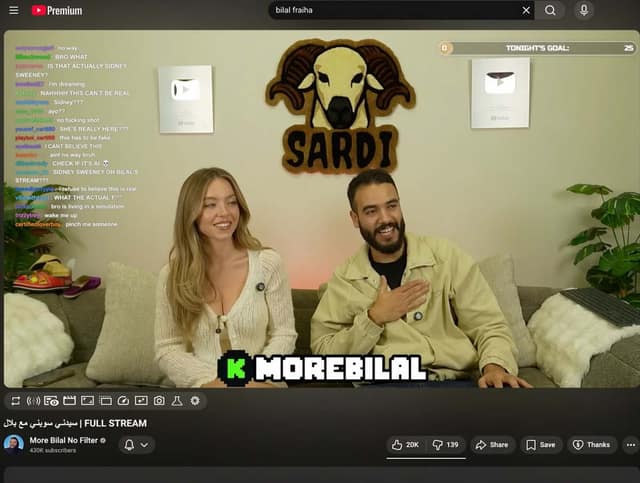
{ "type": "YouTube livestream UI", "top_nav": { "logo": "YouTube Premium", "search": "{arg
提示词
{ "type": "YouTube livestream UI", "top_nav": { "logo": "YouTube Premium", "search": "{argument name=\"search query\" default=\"bilal fraiha\"}", "icons": 3 }, "player": { "subjects": [ "{argument name=\"female guest\" default=\"Sydney Sweeney\"} in white cardigan", "bearded man in beige jacket laughing" ], "bg": "couch, 2 silver play buttons, ram logo 'SARDI'", "overlays": { "chat": {"pos": "left", "count": 15, "desc": "colored usernames, white text"}, "goal": {"pos": "top right", "text": "TONIGHT'S GOAL: 0 to 25"}, "banner": {"pos": "bottom center", "text": "K {argument name=\"streamer name\" default=\"MOREBILAL\"}"} }, "controls": {"count": 10} }, "details": { "title": "{argument name=\"video title\" default=\"FULL STREAM | سيدني سويني مع بلال\"}", "channel": "{argument name=\"channel name\" default=\"More Bilal No Filter\"}", "buttons": 5 } }
常见问题
YouTube livestream UI适合什么模型?
这条提示词主要面向 GPT Image 2,也可按效果迁移到同类图像模型。完整提示词可在 craftprompt.vip 复制。
如何用「YouTube livestream UI」生成UI界面?
复制提示词 → 选择合适模型 → 在 craftprompt 生图工作台生成。